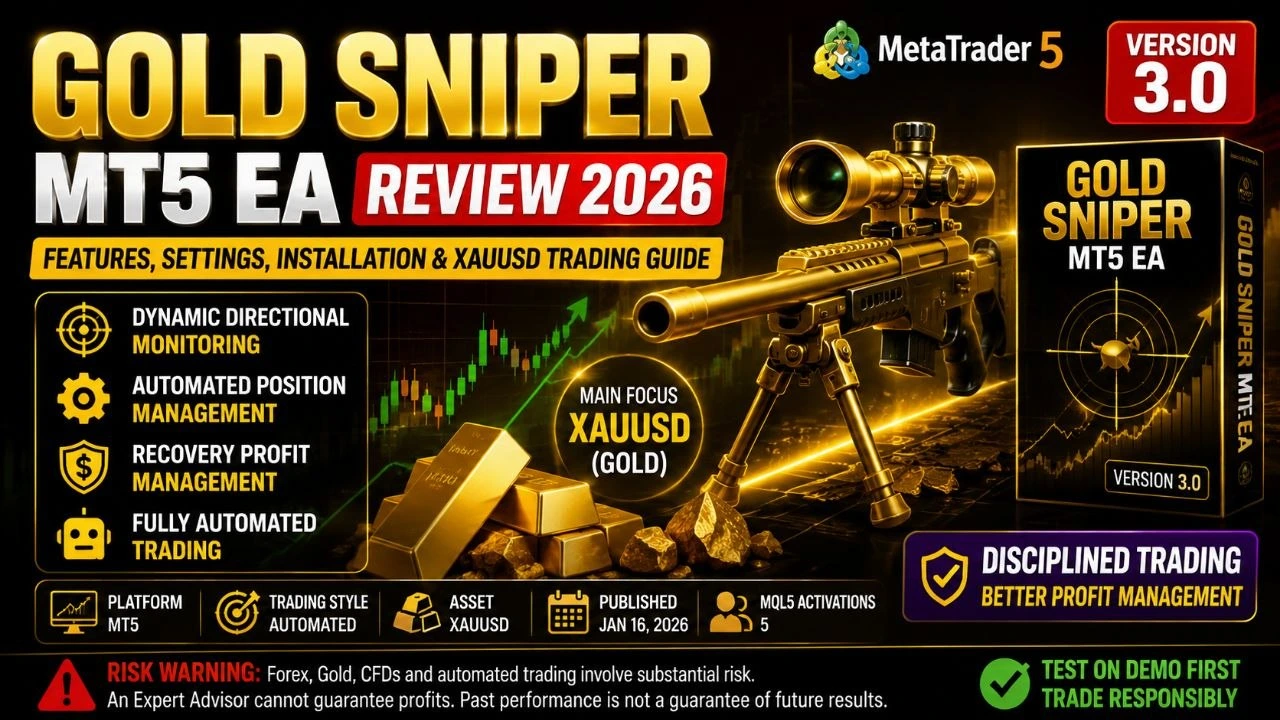
Gold Sniper MT5 EA Review 2026: Features, Settings, Installation, SetFiles & XAUUSD Trading Guide
Gold Sniper MT5 EA Review 2026: Is this automated trading robot worth using for XAUUSD and other forex markets? In this detailed review, we examine the Gold Sniper MT5 EA, its trading concept, features, recommended settings approach, installation process, supported markets, advantages, disadvantages, user suitability, pricing information, and the risks traders should understand before using an Expert Advisor on a live account.
Risk warning: Forex, gold, CFDs and automated trading involve substantial risk. An Expert Advisor cannot guarantee profits, and historical or promotional results do not guarantee future performance. Always test an EA on a demo account before committing real money.
Download Gold Sniper MT5 EA
Join Our VIP Trading Community
Gold Sniper MT5 EA — Quick Overview
| Feature | Details |
|---|---|
| Product Name | Gold Sniper MT5 EA |
| Platform | MetaTrader 5 (MT5) |
| Developer | Zhengdong Gao |
| Current listed version | 3.0 |
| Product type | Expert Advisor / automated trading system |
| Primary concept | Dynamic directional monitoring and profit/recovery management |
| Main market focus | Gold/XAUUSD |
| Trading style described by developer | Automated, selective trading and profit management |
| MQL5 publication date | January 16, 2026 |
| MQL5 activations shown | 5 at the time of the source check |
| SetFiles | Use only files and parameters supplied by the developer for the applicable version |
| Best use case | Traders comfortable with automated trading and controlled risk |
| Risk level | High — especially when trading leveraged gold |
The MQL5 marketplace listing confirms the product's name, developer, version 3.0, publication date and current marketplace information.
What Is Gold Sniper MT5 EA?
Gold Sniper MT5 EA is an automated Expert Advisor for MetaTrader 5 developed by Zhengdong Gao.
According to the developer's description, the system is designed around dynamic market-direction monitoring and automated position management rather than simply generating conventional buy and sell signals. A major part of the product philosophy is profit recovery and disciplined profit taking after periods of drawdown.
The developer describes the EA as a profit-management system rather than a traditional signal EA. The concept is particularly relevant to traders who already use automated strategies and want a more systematic way of managing positions and recovering from losing periods.
However, traders should not interpret the word “recovery” as a guarantee that losses will always be recovered. Market conditions can change rapidly, particularly in gold, and any recovery-oriented approach can experience extended drawdowns.

Gold Sniper MT5 EA Features
1. Dynamic Directional Monitoring
The developer states that Gold Sniper monitors market direction dynamically and can automatically open positions according to its trading logic.
This approach is intended to avoid simply trading continuously regardless of market conditions.
2. Automated Position Management
One of the key selling points is automated management.
Instead of relying on a trader to decide manually when a position has recovered sufficiently, the system is designed to use predefined, quantifiable profit-management rules.
3. Recovery Profit Management
The product's central concept is a Recovery Profit Manager.
According to the developer, the system attempts to manage profitable positions after losses using predefined profit percentages rather than emotional decisions.
This is potentially useful for traders who have a common problem:
A strategy loses money → the strategy eventually recovers → the trader waits too long to close → the market reverses → the recovery disappears.
The EA's philosophy is to create a more disciplined exit framework.
4. Automated Trading
The EA is designed to automate the trading process on MetaTrader 5.
This can reduce the need for manual monitoring, but it does not eliminate the need for supervision. Traders still need to monitor:
- Broker conditions
- Spread
- Slippage
- VPS connectivity
- Margin
- Drawdown
- Trading sessions
- News events
- EA behavior
- Account equity
5. Designed With Multiple EA Users in Mind
The developer specifically describes the product as potentially suitable for traders operating:
- Grid EAs
- Hedging EAs
- Scalping systems
- Swing EAs
- Multiple Expert Advisors
- Multiple instruments
The idea is to provide a unified profit-management approach across automated trading activity.
Gold Sniper MT5 EA Recommended Trading Pairs
XAUUSD — Primary Market to Consider
The most logical market to evaluate first is:
XAUUSD — Gold vs US Dollar
Gold is highly liquid but can also be extremely volatile. This combination makes XAUUSD attractive to automated-trading developers, but it also makes risk management particularly important.
Gold can experience rapid price movements during:
- US economic releases
- Federal Reserve announcements
- CPI releases
- Non-Farm Payrolls
- geopolitical events
- unexpected central-bank decisions
- major changes in US Treasury yields
- market risk-off events
For this reason, traders should not assume that a setting that performs well during quiet conditions will behave identically during major news events.
What About Forex Currency Pairs?
The supplied MQL5 product description primarily presents Gold Sniper as a trading/profit-management system and does not provide a complete official list of recommended currency pairs.
Therefore, do not automatically assume that EURUSD, GBPUSD, USDJPY or other forex pairs are officially supported without checking the current developer documentation or the EA's input restrictions.
If the EA allows other symbols, test each pair separately rather than copying XAUUSD settings directly.
Potential instruments to evaluate during forward testing could include:
- EURUSD
- GBPUSD
- USDJPY
- AUDUSD
- XAUUSD
But these should be treated as testing candidates, not guaranteed recommendations.
Gold Sniper MT5 EA Best Settings
There is no universally “best” Gold Sniper MT5 EA setting.
This is one of the most important points for anyone searching for Gold Sniper MT5 EA settings, Gold Sniper set files, or XAUUSD EA settings.
A profitable setting on one broker can perform differently on another broker because of:
- spread
- commission
- execution speed
- liquidity
- server location
- swap
- symbol contract specifications
- minimum lot size
- maximum lot size
- stop-level restrictions
- slippage
- account leverage
Recommended Starting Philosophy
For a new installation, use a conservative configuration rather than immediately choosing aggressive risk parameters.
Suggested starting framework
| Setting Area | Conservative Approach |
| Account | Demo or small test account |
| Symbol | XAUUSD first |
| Risk | Low |
| Lot sizing | Avoid aggressive fixed lots |
| Recovery | Conservative |
| Maximum exposure | Limited |
| Spread filter | Enable if available |
| Trading news | Test separately |
| VPS | Recommended for continuous operation |
| Forward test | At least several weeks before serious live deployment |
| Monitoring | Regular |
These are risk-management recommendations, not official developer settings.

Gold Sniper MT5 EA SetFiles Guide
A SetFile (.set) stores EA input parameters so traders can load a predefined configuration.
If the developer provides an official Gold Sniper MT5 EA SetFile, use the SetFile designed for the same EA version and symbol.
Do not assume that:
XAUUSD.set + different broker = identical results.
It doesn't work that way.
A SetFile can be affected by:
- broker digits
- spread
- symbol suffix
- contract size
- leverage
- account type
- execution mode
- server time
- commission
- EA version
How to Use a Gold Sniper SetFile
- Open MetaTrader 5.
- Open the chart for the intended trading symbol.
- Attach Gold Sniper MT5 EA to the chart.
- Open the EA's Inputs section.
- Select Load.
- Choose the official
.setfile. - Review every parameter before clicking OK.
- Confirm the symbol and timeframe.
- Enable algorithmic trading.
- Monitor the Experts and Journal tabs.
Important: Never download random SetFiles from unknown websites and assume they are official. Use files supplied by the developer or a trusted source.
Gold Sniper MT5 EA Full Settings Guide
The exact input names can change between versions. Because the public MQL5 description does not publish a complete parameter-by-parameter manual, traders should use the actual Inputs panel of their installed version rather than copying invented parameter values from third-party websites.
Below is a practical framework for understanding the major setting categories.
1. Lot Size / Risk Setting
This determines how much capital is exposed to each trade.
Beginner recommendation: Start with the lowest practical risk.
Avoid increasing lot size simply because a backtest looks profitable.
A large position can turn a normal losing sequence into a major drawdown.
2. Recovery Profit Target
This is especially important because recovery management is a central part of the product's stated concept.
A lower target may allow the system to lock in recovery sooner, while a higher target may require more market movement and expose the account to a larger reversal risk.
Test several values rather than assuming the largest target is best.
3. Maximum Positions
If the EA exposes a maximum-position parameter, limiting simultaneous positions can reduce total exposure.
This is particularly important on gold because multiple positions can create substantial effective leverage.
4. Maximum Drawdown
If a maximum drawdown or equity protection parameter is available, use it.
A drawdown protection rule can be more important than maximizing short-term returns.
5. Spread Filter
Gold spreads can widen significantly during volatile market conditions.
If the EA provides a spread filter, consider using one appropriate to your broker's normal XAUUSD conditions.
Do not copy a spread value from another broker without checking your own market data.
6. Trading Session
If session controls are available, test the EA during the periods when your broker provides reliable liquidity and execution.
7. News Filter
If a news filter exists, test it carefully.
Gold can move very quickly during major US economic announcements. A news filter can reduce exposure to certain events, but it cannot eliminate market risk.
8. Stop Loss
Never assume that an automated strategy is safe simply because it uses recovery logic.
If the EA provides a conventional stop-loss option, understand exactly how it works before going live.
9. Take Profit
Take-profit settings should be evaluated together with:
- Stop loss
- recovery rules
- spread
- commission
- average trade duration
- maximum drawdown
Changing one parameter can materially change the entire strategy.
Gold Sniper MT5 EA Installation Guide
Step 1 — Install MetaTrader 5
Install MetaTrader 5 through your broker or another trusted MetaTrader distribution.
Log in to your trading account.
Step 2 — Obtain the EA
Download the EA through the official marketplace purchase/download process or the legitimate source provided by the developer.
The product is listed on the MQL5 Market as Gold Sniper MT5 EA.
Step 3 — Open MetaTrader 5
Launch MT5 and log into the account where you want to test the EA.
Step 4 — Locate the Expert Advisor
Open:
Navigator → Expert Advisors
Find Gold Sniper MT5 EA.
Step 5 — Open the XAUUSD Chart
For the primary test, open your broker's gold symbol.
Depending on the broker, it may be named:
- XAUUSD
- XAUUSDm
- XAUUSD.a
- GOLD
- another broker-specific symbol
Always use the exact symbol supported by your broker and EA.
Step 6 — Attach the EA
Drag the Expert Advisor onto the chart.
Review the Inputs tab carefully.
Step 7 — Enable Algorithmic Trading
Make sure the MT5 Algo Trading function is enabled.
Also check the EA's permission settings.
Step 8 — Load the Official SetFile
If the developer supplied a .set file for your account type, broker and symbol, load it.
Then manually verify the parameters.
Step 9 — Run a Demo Test
Do not immediately start with a large live account.
Run the system on a demo account and observe:
- entries
- exits
- lot sizes
- drawdown
- spread
- slippage
- recovery behavior
- number of positions
- daily/weekly results
Step 10 — Consider VPS Hosting
If you want the EA to operate continuously, a reliable VPS can help keep MT5 running when your personal computer is offline.
Gold Sniper MT5 EA VPS Settings
A VPS is useful for automated trading because the trading terminal needs to remain connected and running.
A good VPS setup should provide:
- stable internet
- low latency to the broker server
- reliable uptime
- sufficient RAM
- stable Windows environment
- automatic restart/recovery
- regular backups
Do not select a VPS based only on advertised CPU speed.
For an EA, stability and broker-server connectivity can be more important than having an extremely powerful server.
Gold Sniper MT5 EA Backtesting Guide
Before live trading, perform both historical testing and forward testing.
Backtest Checklist
Test:
- Different market periods
- High-volatility periods
- Low-volatility periods
- Large gold price movements
- Different spreads
- Different execution assumptions
- Different risk levels

Look beyond profit.
Important metrics include:
Maximum Drawdown
A strategy generating high returns with enormous drawdown may be unsuitable for many traders.
Recovery Factor
This can help assess how effectively profits compensate for drawdowns.
Profit Factor
Profit Factor can provide useful information, but it should not be considered independently.
Average Trade
A strategy with tiny average profits can be highly sensitive to spreads and commissions.
Consecutive Losses
This is critical when determining the capital required for the strategy.
Exposure
Always determine how much capital is actually at risk when multiple trades are open.

Gold Sniper MT5 EA Pros and Cons
Advantages
✅ Automated trading
The EA can automate trading and management decisions, reducing the need for manual execution.
✅ Focus on disciplined profit management
The product is explicitly designed around quantified profit/recovery management rather than emotional manual decisions.
✅ Suitable for automated-trading users
The developer specifically positions the product for traders who operate different types of EAs and multiple instruments.
✅ MT5 platform
MetaTrader 5 is widely used for automated trading and provides built-in tools for testing and monitoring Expert Advisors.
✅ Gold-focused appeal
Traders interested in XAUUSD may find the product particularly relevant to evaluate.
Disadvantages and Risks
❌ No guaranteed profits
No Expert Advisor can guarantee profitable results.
❌ Gold can be extremely volatile
XAUUSD can move sharply within minutes.
❌ Recovery strategies can extend drawdowns
A recovery-oriented approach can become dangerous if the market continues moving against the system.
❌ Broker conditions matter
Different brokers can produce materially different results.
❌ Limited public technical detail
The public product description explains the philosophy but does not disclose every technical component of the algorithm.
❌ Small public track record on the marketplace
At the time of the source check, the MQL5 page showed 5 activations. That is not enough by itself to establish a long-term live-performance record.
Gold Sniper MT5 EA Reviews: What Do We Know?
When reviewing a relatively new Expert Advisor, it is important to distinguish between:
- Developer claims
- Marketplace information
- Independent testing
- Verified live-account performance
- Individual user comments
The MQL5 comments page states that only users who purchased or rented the product can leave comments.
For that reason, prospective buyers should check the latest marketplace reviews and comments themselves rather than relying on a third-party article claiming that the EA is universally profitable.
The product was published on MQL5 on January 16, 2026, so its publicly available live history is relatively new compared with long-established Expert Advisors.
Our Review Assessment
Strategy concept: 7/10
Automation: 8/10
Transparency: 5/10
Beginner friendliness: 5/10
Risk management importance: 10/10
Long-term public track-record confidence: 4/10
Overall: 6.5/10 — Worth testing, but not suitable for blind live deployment
This rating is an editorial assessment based on the publicly described product features and available marketplace information, not a guarantee of future performance.

Who Should Use Gold Sniper MT5 EA?
Gold Sniper may be appropriate for:
- Experienced MT5 traders
- Algorithmic-trading users
- Traders who understand XAUUSD volatility
- Traders comfortable with drawdown
- Users who can monitor automated systems
- Traders who understand broker execution
- Users willing to conduct forward testing
- Experienced traders running multiple automated strategies
Who Should Avoid It?
It may not be appropriate for:
- Complete beginners who do not understand leverage
- Anyone expecting guaranteed monthly income
- Traders using money they cannot afford to lose
- Users who do not understand drawdown
- Traders who want a completely passive investment
- Anyone unwilling to test an EA before going live
Gold Sniper MT5 EA Pricing
Pricing information for this product requires particular caution.
The MQL5 listing currently indexed by search still contains a promotional message stating that a $68 one-month promotion ended May 30, 2026, followed by a stated $500/month price. However, marketplace pages returned by search can display inconsistent localized pricing, so readers should verify the current price directly on the MQL5 product page before purchasing.
Therefore, this review should not advertise the old $68 promotion as an active August 2026 offer.
Gold Sniper MT5 EA FAQ
Is Gold Sniper MT5 EA free?
No. The product is listed as a paid Expert Advisor on the MQL5 Market. Current pricing should be checked on the marketplace before purchase.
Does Gold Sniper MT5 EA work with MT4?
The product reviewed here is the MT5 version. Do not install an MT5 EA on MT4. The MQL5 Market also lists a separate Gold Sniper MT4 product, which should be treated as a separate product/version.
Is Gold Sniper MT5 EA suitable for XAUUSD?
XAUUSD is the most obvious market to evaluate based on the product's Gold Sniper positioning. However, traders should test the EA with their own broker before going live.
What is the best timeframe?
The public product description does not establish one universally optimal timeframe. Do not assume that M5, M15, H1 or another timeframe is automatically the best.
Test the timeframe specified by the current developer documentation or the EA's official SetFile.
Does it guarantee profits?
No.
No legitimate automated trading system can guarantee future profits.
Can I use Gold Sniper on a small account?
Technically, account suitability depends on the broker, minimum lot size, margin requirements and the EA's risk parameters.
A small account can be especially vulnerable to gold volatility and drawdown.
Should I use a VPS?
A VPS is recommended for traders who need MT5 and the EA to remain running continuously.
Should I use a SetFile?
If an official SetFile is supplied for your exact EA version, broker and symbol, it can make configuration easier.
However, always inspect the parameters before loading it on a live account.
Can I use the same settings on every broker?
No.
Broker spreads, execution, commissions, symbol specifications and liquidity can differ.
Is Gold Sniper a signal service?
The developer describes it as a profit-management/trading system rather than simply a signal EA.
Is it safe?
No automated trading system should be described as completely safe.
The correct question is whether the trader can control risk sufficiently for their own account.
Gold Sniper MT5 EA Risk Management Guide
A good EA setup is not just about finding the most profitable parameters.
The more important question is:
What happens when the strategy loses?
Before going live, establish:
- Maximum acceptable drawdown
- Maximum account exposure
- Maximum daily loss
- Maximum number of positions
- Maximum lot size
- Emergency shutdown procedure
- VPS monitoring procedure
- Broker-disconnection procedure
Never Increase Risk to Recover Losses
One of the biggest mistakes in automated trading is increasing lot size after a losing period.
If an EA enters a drawdown, increasing risk can accelerate losses instead of solving the problem.
Our Gold Sniper MT5 EA Testing Strategy
For traders considering this EA, we recommend a three-stage process.
Stage 1 — Demo Testing
Run the EA on demo.
Evaluate:
- Execution
- Drawdown
- Entries
- Exits
- Recovery behavior
- Spread sensitivity
Stage 2 — Small Live Test
If demo testing is satisfactory, use only a small amount of capital.
Do not immediately allocate the entire trading account.
Stage 3 — Gradual Scaling
Only increase exposure after collecting sufficient live data.
Evaluate performance across different market conditions rather than judging the EA from a few profitable days.
Gold Sniper MT5 EA Final Verdict
Gold Sniper MT5 EA is an interesting MT5 Expert Advisor for traders who are specifically interested in automated gold trading and disciplined profit/recovery management.
Its strongest concept is not simply “buy and sell gold automatically.” Instead, the developer emphasizes dynamic directional monitoring and quantified profit management after losses.
However, the product is still relatively new, and the publicly visible marketplace information does not provide enough evidence to conclude that it will consistently outperform the market.
The relatively small number of marketplace activations also means buyers should be cautious about treating promotional claims or short-term results as proof of long-term reliability.
Our verdict: 6.5/10
Best for: Experienced MT5 and automated-trading users who want to test an XAUUSD-focused system.
Not ideal for: Beginners searching for a guaranteed-income robot.
Biggest strength: Automated directional trading combined with profit/recovery management.
Biggest concern: Gold volatility, recovery-related drawdown risk, and the limited publicly established live track record.
Recommendation: Test first, trade small, monitor continuously, and scale only after verified forward-test results.
Conclusion
Gold Sniper MT5 EA offers an interesting approach to automated trading by combining directional monitoring with a recovery-oriented profit-management philosophy.
The concept may appeal to traders who struggle with manually closing trades after recovering from a loss or who operate several automated strategies simultaneously.
Nevertheless, the EA should not be treated as a “set and forget” money-making machine.
The most important part of using Gold Sniper—or any Forex EA—is risk management.
Start with a demo account, use conservative settings, test your broker's XAUUSD conditions, monitor drawdown, verify the SetFile and EA version, and only consider live trading after sufficient forward-testing evidence.
Automated trading can remove emotional execution, but it cannot remove market risk.